
Browsing Data
The sidebar
The sidebar shows the tables and views of one schema at a time. Tables
that share a prefix, such as book_, fold into a group. You can also
list them flat. On macOS and Windows, the objects you opened recently
are listed above them.
Quick open (Cmd+P on macOS, Ctrl+P on Windows and Omarchy) finds any
table or view by name without the sidebar, in this connection or in every
open one. On macOS and Windows the sidebar’s “Find any object…” field
opens it, and > typed first lists the commands instead (and, with a
word after it, the settings); in the Omarchy look / in the sidebar
filters its list.
System schemas such as pg_catalog and information_schema are hidden.
A setting
shows them.
The data grid
A table opens on its data. The grid marks primary keys and foreign keys, shows JSON at a glance, and draws enum, CHECK and boolean values as colored tags.
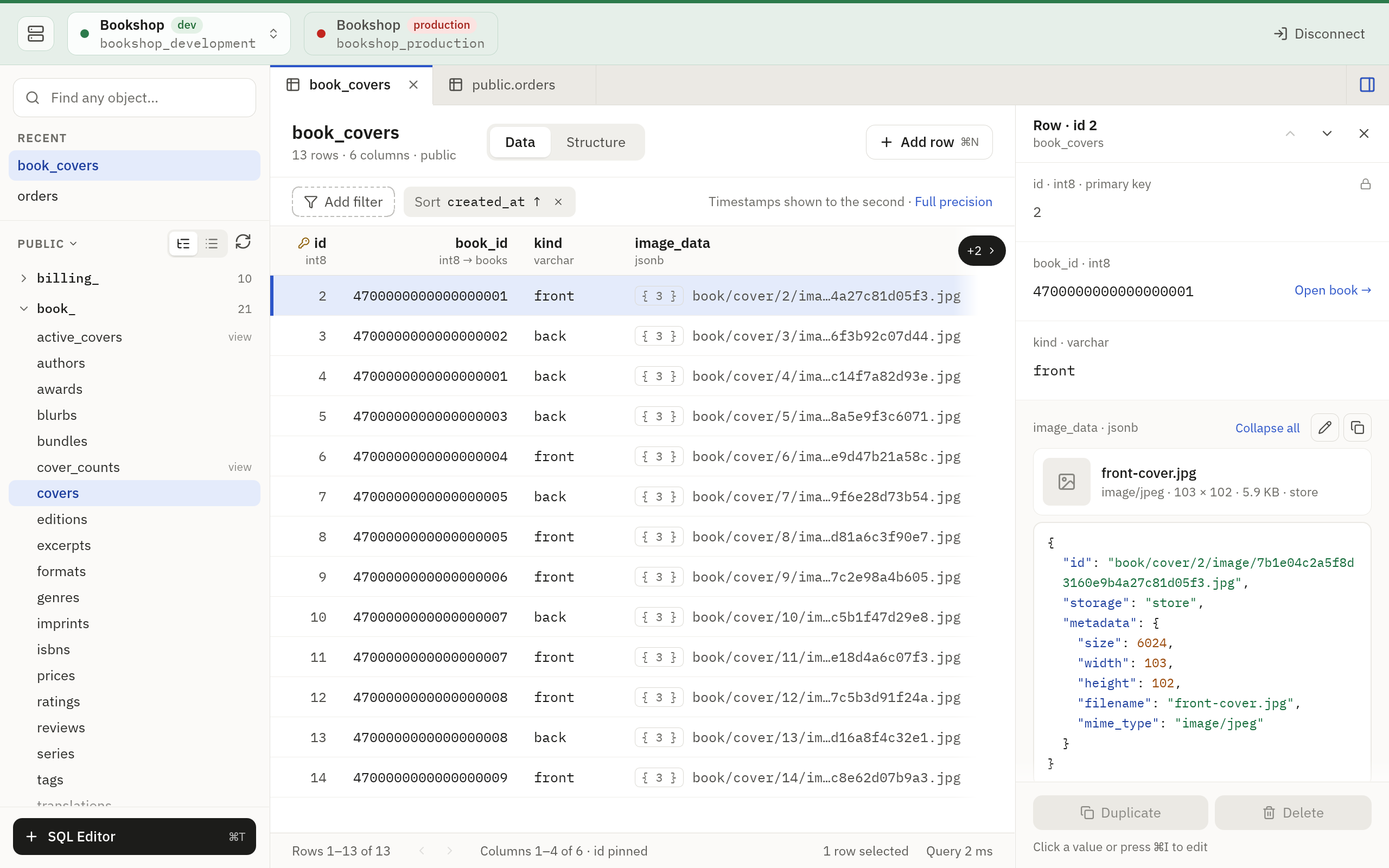
- Pages. The grid loads 1,000 rows at a time unless you change Rows per page in Settings. Cmd/Ctrl+Alt+Left and Right move between pages.
- Sorting. Click a column’s header to sort by it: ascending, then descending, then not at all. The server does the sorting.
- Counts. The footer shows the range you are looking at and the
table’s size. For a large table the size is the database’s estimate, such
as
~1.2M. Click Count for the exact number. - Cancel. Cmd/Ctrl+. cancels a running query. In the Omarchy look the key is Ctrl+C.
- Reload. Cmd/Ctrl+R loads the page again. In the Omarchy look the
key is
R.
A table without a primary key is marked Unordered: its rows may move between pages.
Filters
Press Cmd/Ctrl+F, or click Add filter. A filter is a list of conditions, and a row must match all of them. Each condition is a column, an operator and a value:
| Operator | Matches |
|---|---|
=, ≠, <, >, ≤, ≥ |
A comparison with the value |
contains |
The value anywhere in the text. PostgreSQL ignores letter case, MySQL follows the column’s collation, and SQLite ignores the case of ASCII letters |
starts with |
Text that begins with the value |
in (a, b, …) |
Any of the values, separated by commas |
is NULL, is not NULL |
Whether there is a value at all |
For anything else, tick Raw WHERE and write the condition yourself:
id > 10 AND name LIKE 'A%'
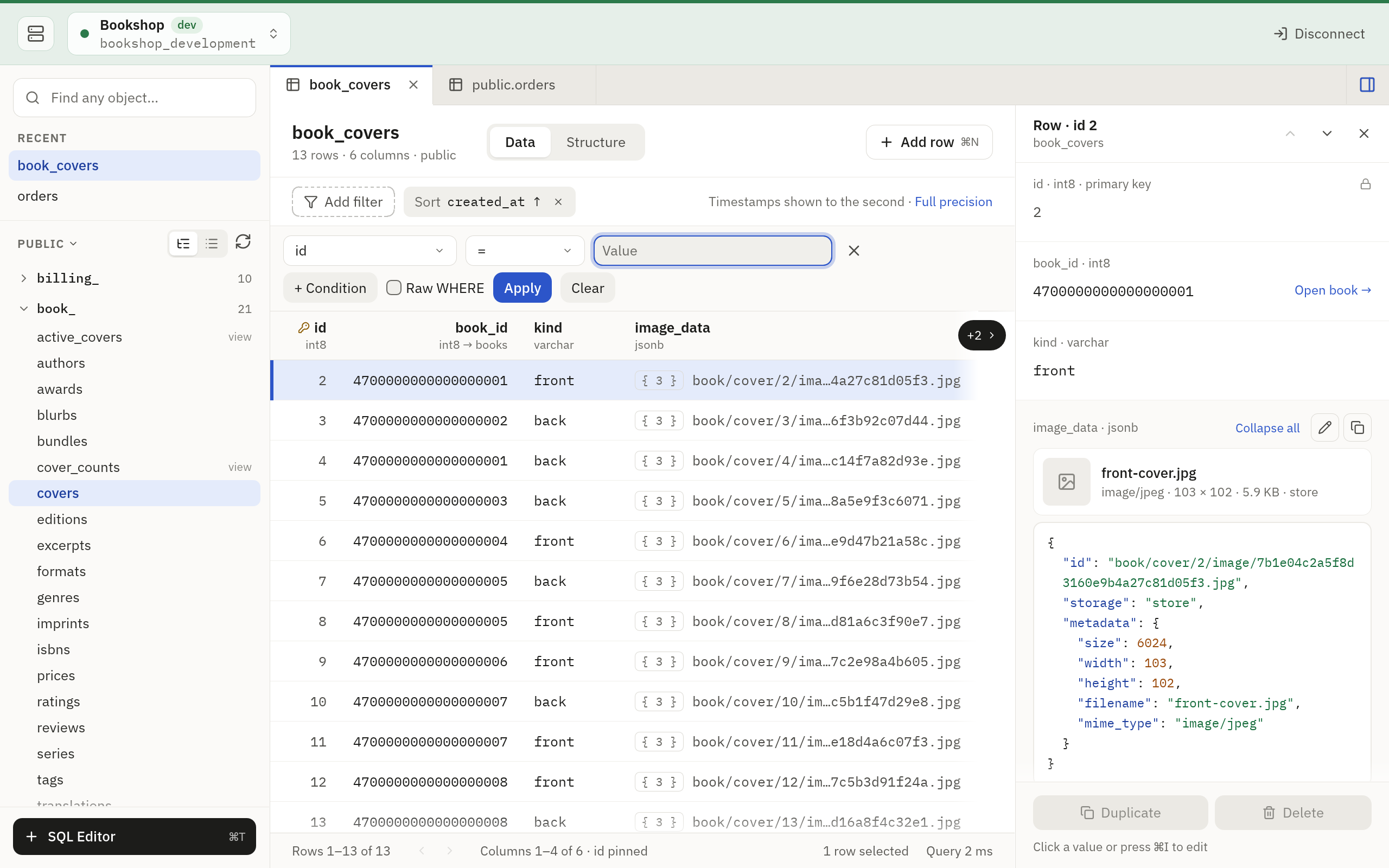
On MySQL, a raw WHERE reads "..." as a string, and names take backticks.
The row panel
Select a row and the panel on the right shows every one of its fields, with long text and JSON documents laid out to read. Cmd/Ctrl+Shift+R shows or hides it, and a connection opens with it as its window last left it.
A very large value is shown up to 256 KiB. Copying it gives the whole value.
A foreign key has a link next to it that opens the row it points to.
Structure
Switch a table from Data to Structure to read its columns, indexes and foreign keys.
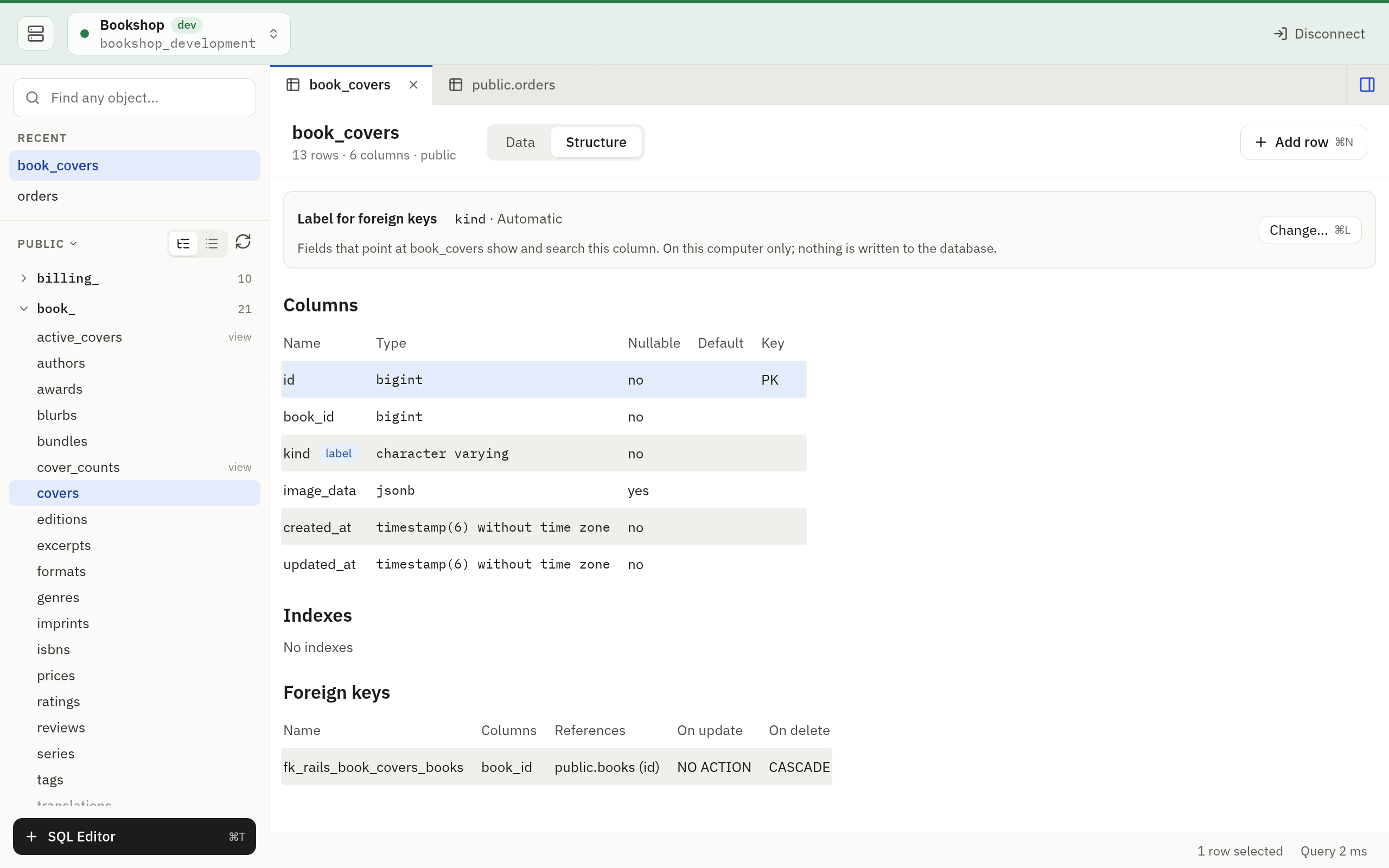
Above the columns, Label for foreign keys names the column that this table’s rows are read by in the list of a foreign key that points at it, and says whether the app picked it (Automatic) or you did (Set by you). The column itself is tagged label. Editing Data says what the label does.
- Change… (Cmd/Ctrl+L) opens the chooser of columns.
- Click a column’s line and press Cmd/Ctrl+Alt+L to use that column, or right-click the line for Use as label. With the keyboard, Tab or F6 comes to the columns, and Up and Down move between them.
- Use Automatic hands the pick back to the app.
No cell is edited and nothing is written to the database, so this works on
a read-only connection. The Omarchy look does the same with gl and the
:label lines of its Structure view.
Copying
On macOS and Windows, Cmd/Ctrl+C copies the selected cell and
Cmd/Ctrl+Shift+C the whole row, with tabs between its values. In the
Omarchy look v then y copies the cell.